Personal Profile Pages
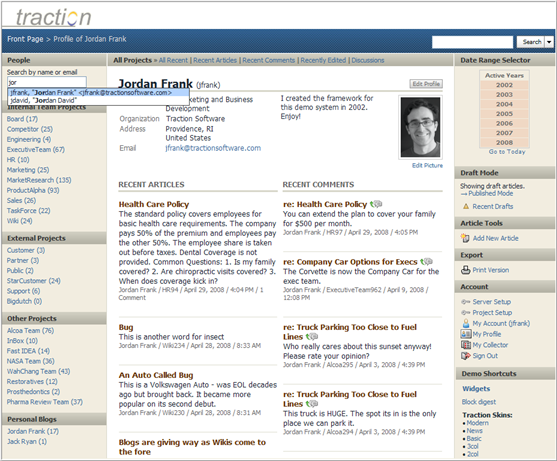
In social networking applications, each person's profile page is a hub for their activity. It acts as both a directory entry and a blog. The Traction Profile page is the ideal place to learn about any person and their contributions to TeamPage.
Each person may edit their own picture and profile information, Traction does the rest. There is no need to create a personal blog just to publish your own posts and comments: Traction Page Sections roll up each person's contributions across all projects, with appropriate permission filters applied for every reader.
The Profile pages for each TeamPage user are easily found by interactive name completion in the People search box.
The default Recent Articles and Recent Comments sections shown below can be modified or replaced by other section definitions by either a TeamPage server administrator (as a new default for that TeamPage server), or overriden as a personal preference. For example - it's easy to include a section containing a personal list of favorite posts or links on your Profile page.
 I18N ERROR: @tsiskin#footer_RSS_Feed